Saturday, May 3, 2014

13. Python Functions

Functions are probably the most important element in any language. They allow for code reuse and also for separating different parts of the program.


In Python, functions are defined by the def statement. Very few functions are one line-functions. If they are, you may write the return value after the colon. This function just adds x and y (the two input arguments) and returns the value.


Most functions are multi-line. It is important to indent, after the colon. In the interactive shell, this is done automatically (indicated by the dot, dot, dot, colon prompt). You have to press 2 Enters to get out of these blocks. Here, three numbers are multiplied.


Python assumes that variables are local to a function. Here, we see that num in line 5, is a global value. In line 6, the function uses num as a local variable. The reason this is done is so we do not have to think about names while writing a function. That is, we do not have to use unique names in our functions.


If we do want to modify a global variable, we have to use the global keyword. Here the global num is modified.


Local names have precedence. Thus, in the return statement the num refers to the local num with value of 5. Thus adding 2, will give the result of 7.


However, if we do not have the local name defined in the function, it will look to any enclosing function, that is, in case it is, a nested function. Since we do not use nested functions here, the global value with that name is used. This makes sense because if you use a name without initializing it, it means you probably did want to use the global value.


In line 21, the division is imported from the __future__ module. Note, we have 2 underscores in the front and 2 underscores at the end. This is done so division of integers can produce fractional numbers. The default in Python 2.7 is integer division which is implied if both numerator and denominator are integers. Integer division results in an integer answer, that is, the number without taking any remainder into account. Next we define a function Ops, which returns 4 values. We can see that they return a tuple. In line 24, we use the underscore, which refers to the last result, in the shell, which here would mean Output of line 23.


Usually in the program, you rarely deal explicitly with the returned Tuple, but define equal number of values for left-hand side so unpacking can take place.


Default arguments can be found in a function definition. That is, if some arguments are not given in the call, then use the defaults. For the argument x in this example, we may use it's name in the call if you want. If so, we don't have to remember the argument positions.


Often you will use a Tuple as the argument. If so, you have to put a * before the name. Then, in the function you have available the various indices. You do not have to use all the indices.


If a function call names all of the arguments, we can convert it to a dictionary and then send it to the function, that is, if the function definition has 2 * symbols. Note that all names have been converted to strings in the dictionary.


If a list is input to a function, that name in the function is an alias for the called list. That is, no new lists are created. In Python, mutable values are passed by references, and so are just aliases to the same object.


If we really want a new list, we have to make a list copy. Python wants us to make this explicit since a list could be many elements and a copy could be computationally-expensive. For immutables, a copy is implied. But, we can not do this function example with tuples, as individual elements can not be reassigned.


An easy function with a list is to extend the list with the number of parameters passed. Here in the function definition, we tell it to expect a tuple. Then we extend, similar to multiple appends, to the List.


If we want, we can keep on extending the List. Remember, a List can have any kind of Python objects, like Strings, Tuples or even Lists.


You will find additional information at pythonaudio.blogspot.com.


This is the video of Tutorial 13:


Wednesday, April 30, 2014

12. OCR Example

This is an example of a Python application. OCR stands for Optical Character Recognition. Typically you have some image files, maybe from scanning or after using the print screen key on the keyboard. The object is to parse all of them with some ocr engine and convert them to text file.


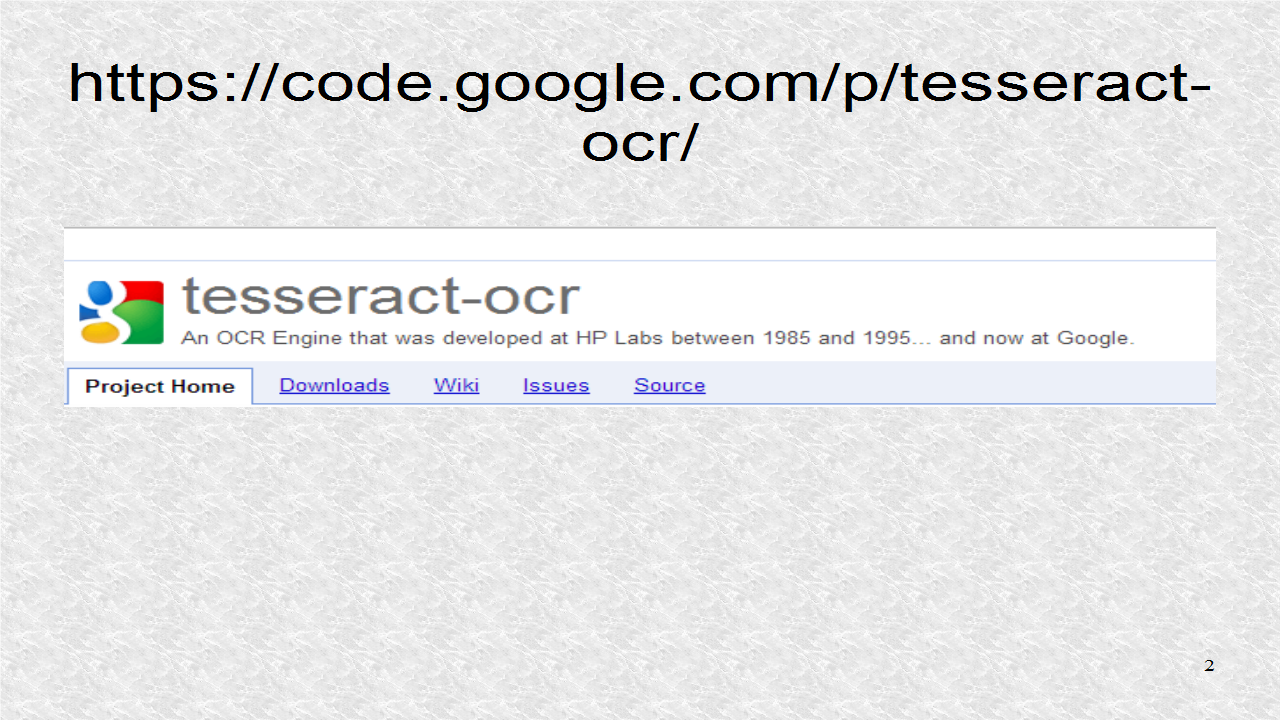
A good OCR is tesseract-ocr. You may get it at this webpage. You can see from the information on this page, that they developed this program at HP Labs between 1985 and 1995. Later in that page, you can see that after 2006, it was further developed at Google. Further it is a very accurate OCR and it is free.


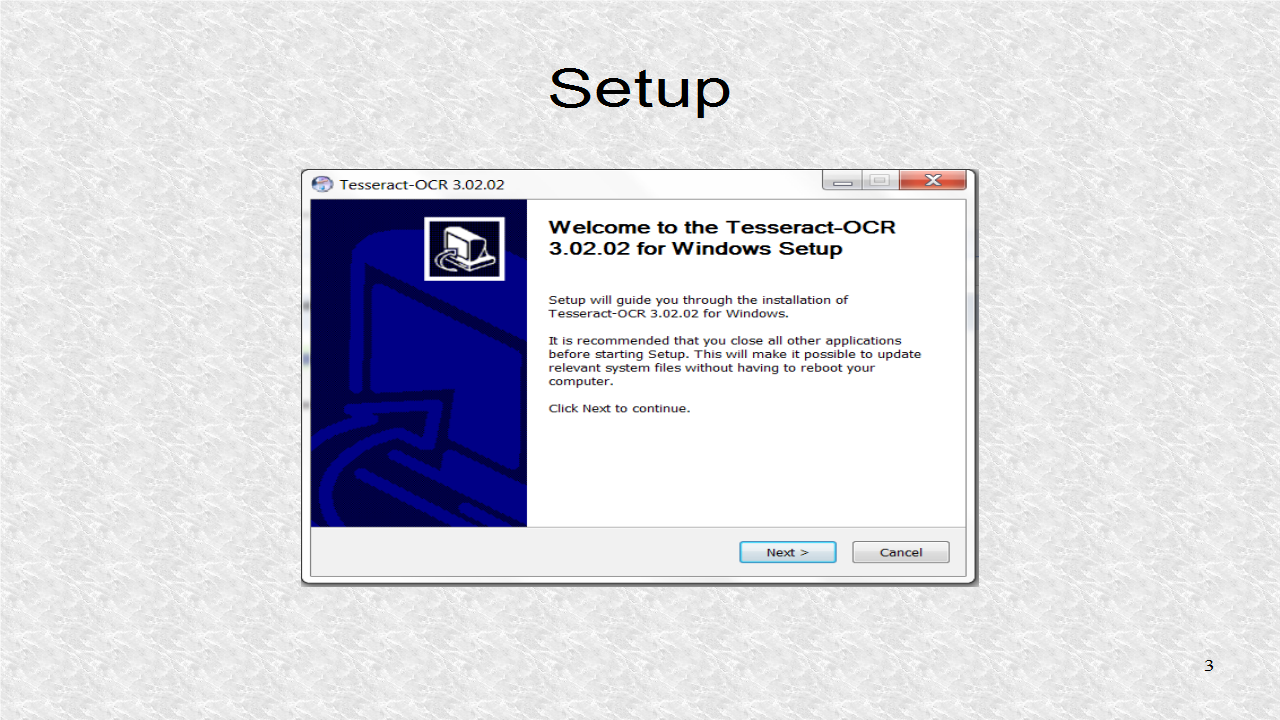
On this page, there are links to download the setup files for all operating systems. For Windows, this is the setup file.


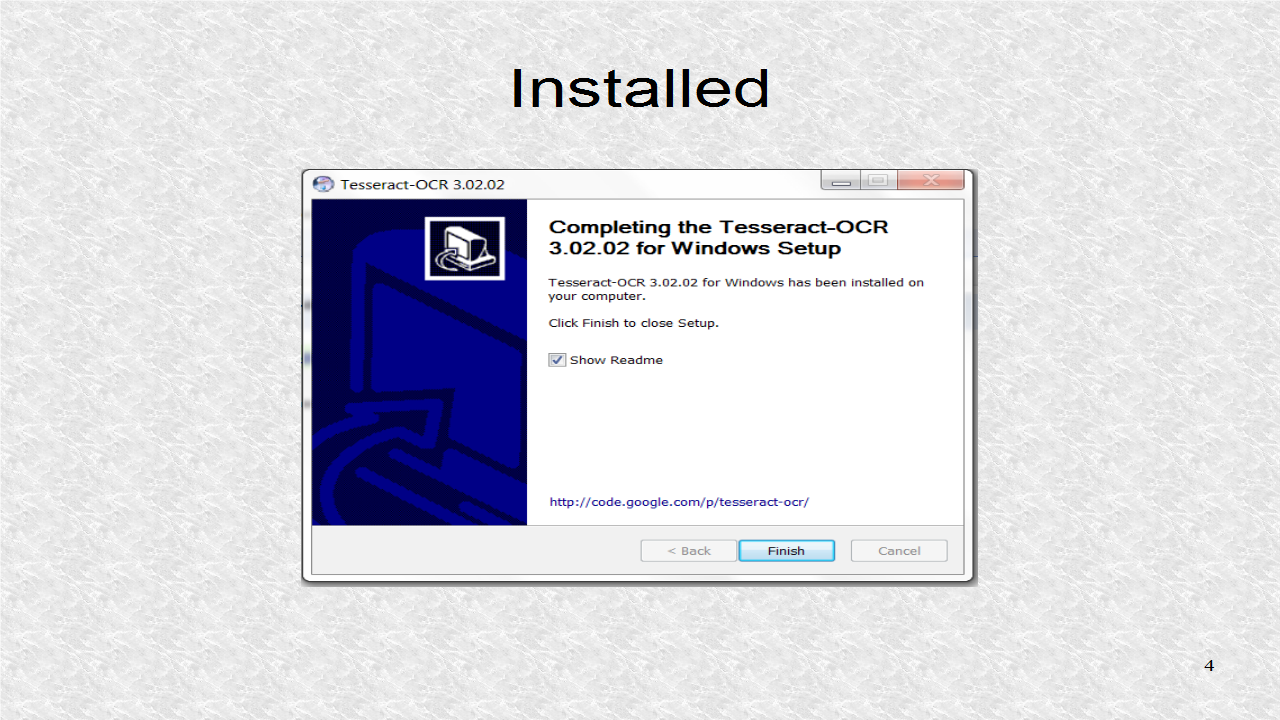
After agreeing to the license, and selecting the defaults, the OCR is successfully installed.


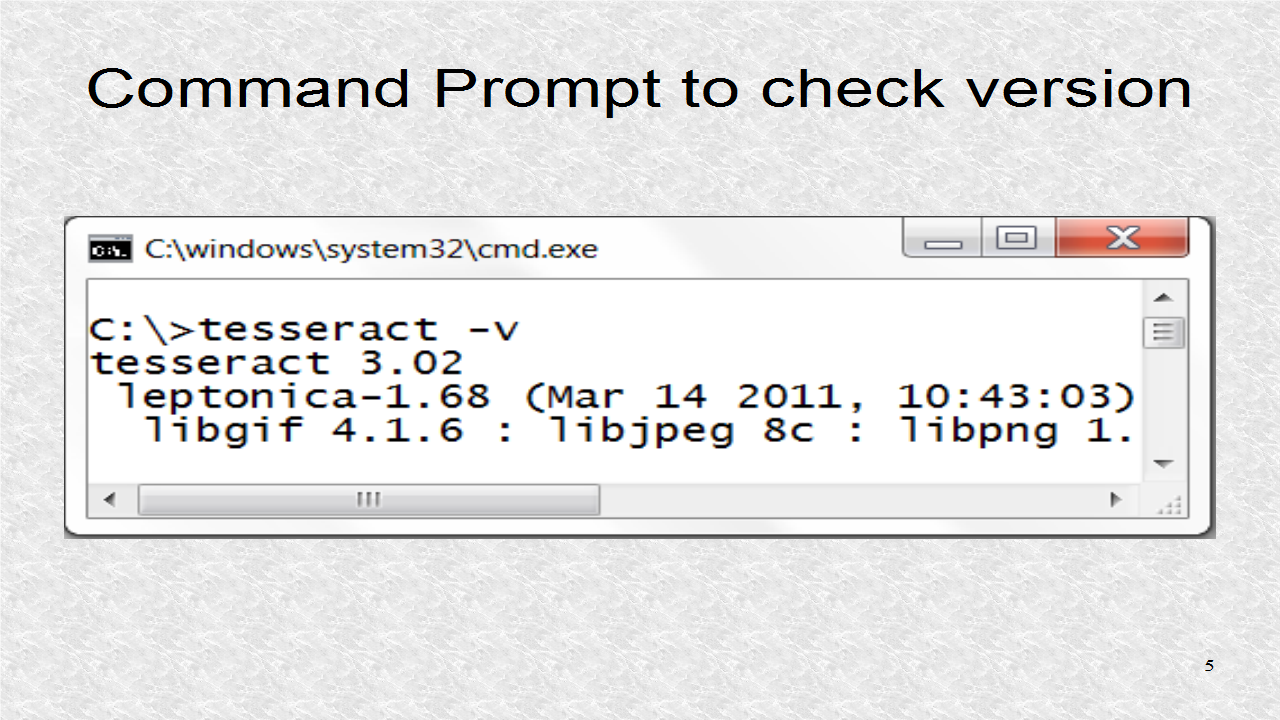
After installing it, opening the command prompt, we can see if the program was correctly installed by typing the v flag.


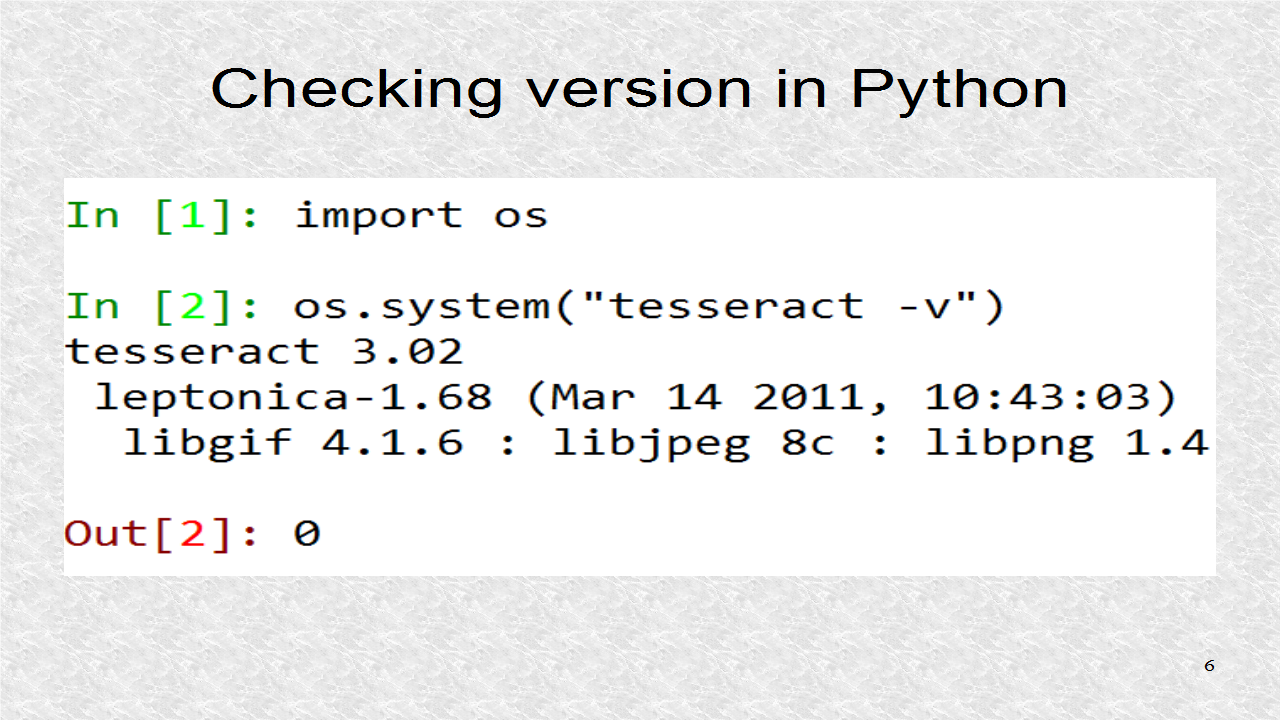
You can do the same thing in Python. You have to import the os module. The os module is for interacting with the operating system. One of the most useful functions is system(), which allows for passing any String to the command prompt so it may execute it.


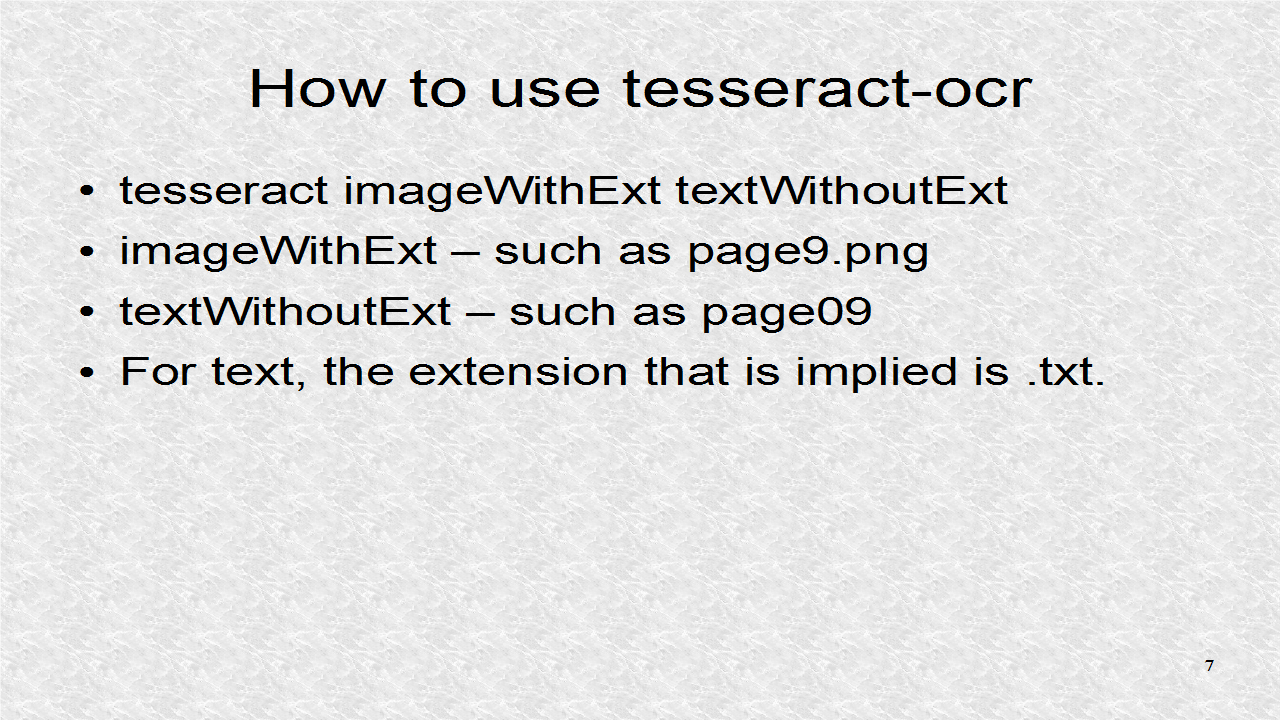
To use tesseract-ocr, we have to write tesseract, then image file name, and finally text name. For the image file, we have to give the extension. For the text name, we do not as it always assumes it is txt.


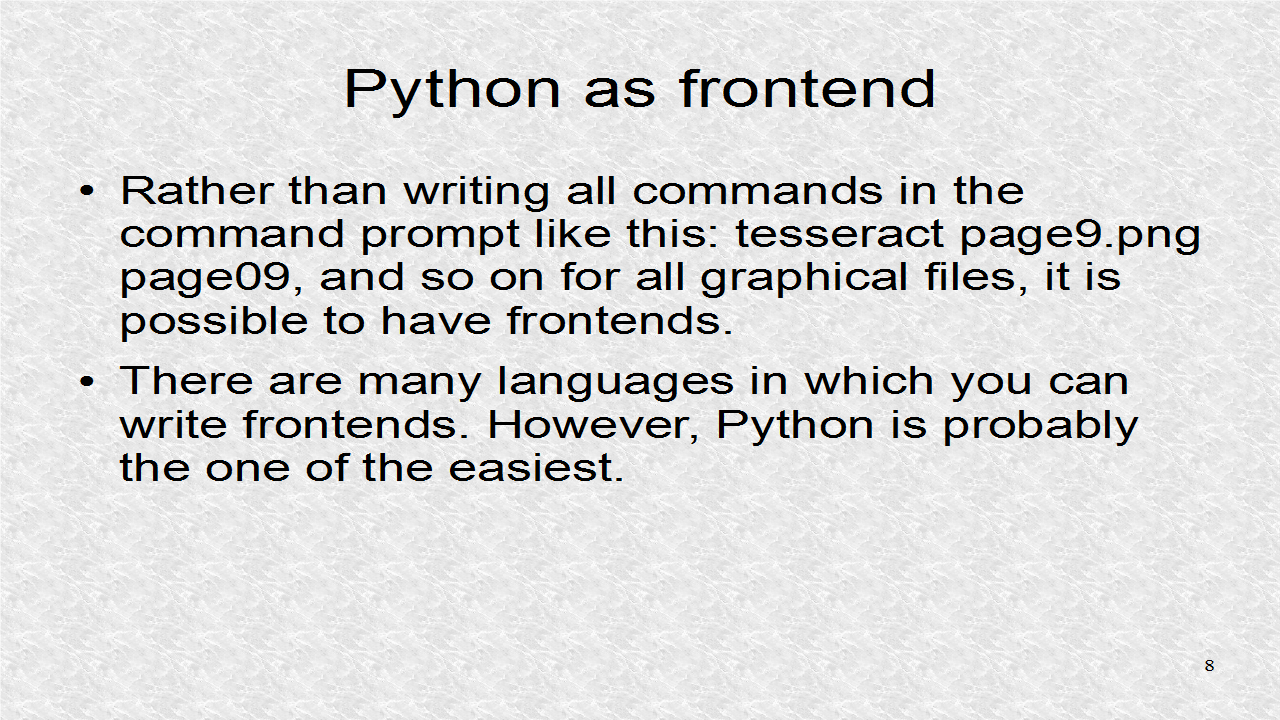
We can think of tesseract-ocr as backend, and here we are using Python as frontend. That is , we interact with the frontend and it deals with the backend.


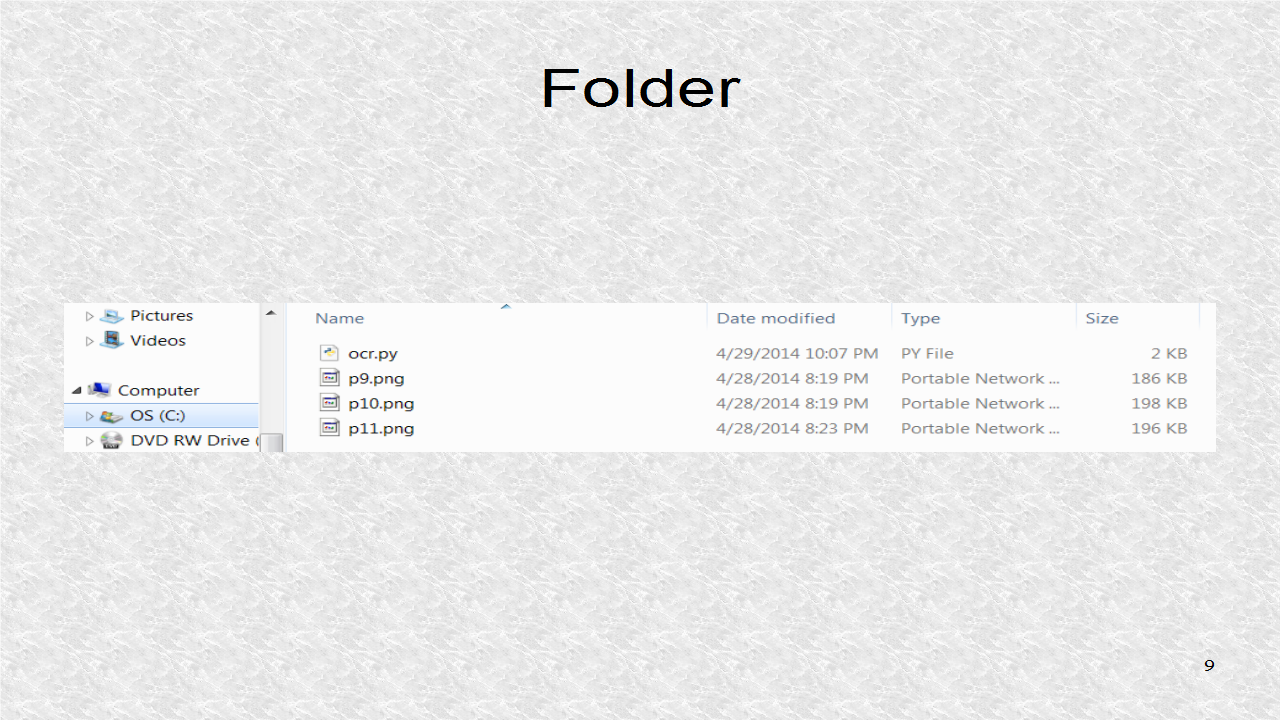
In our example, this is the content of a folder. Here we have ocr.py, the Python file to be explained later and some image files.


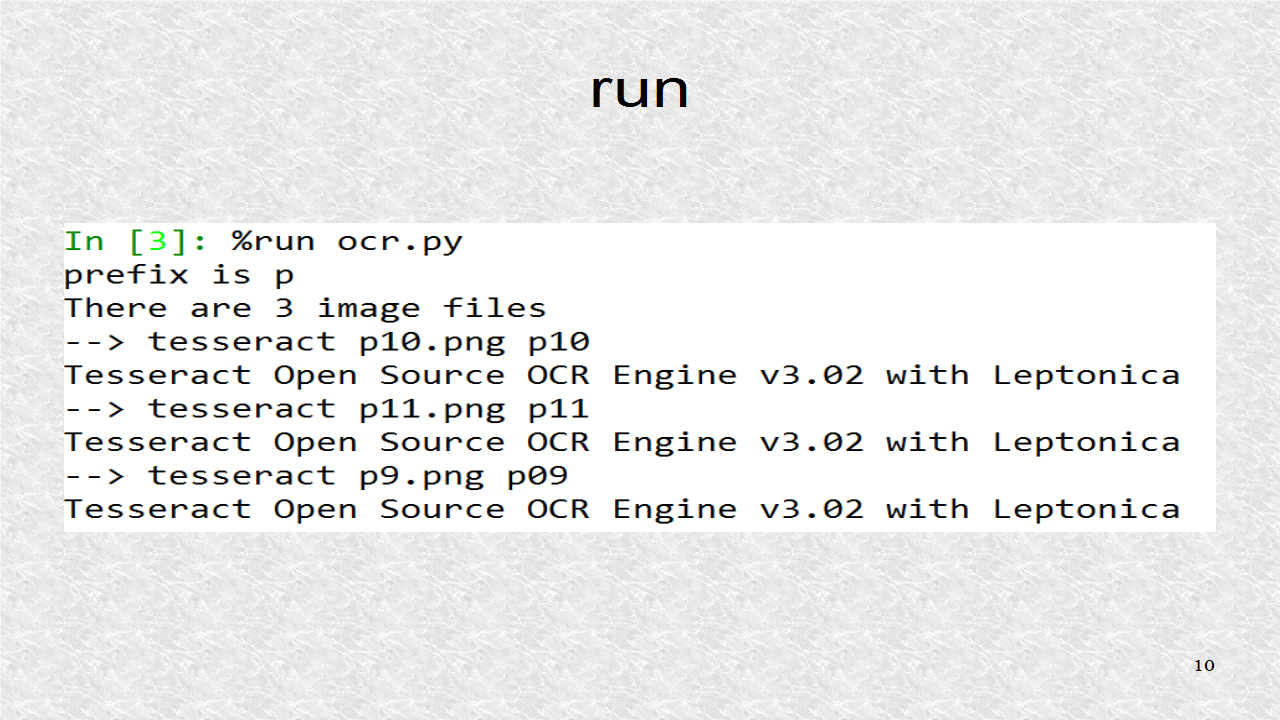
We run the program using %run command in IPython. We get outputs from our program as well as those from the ocr program.


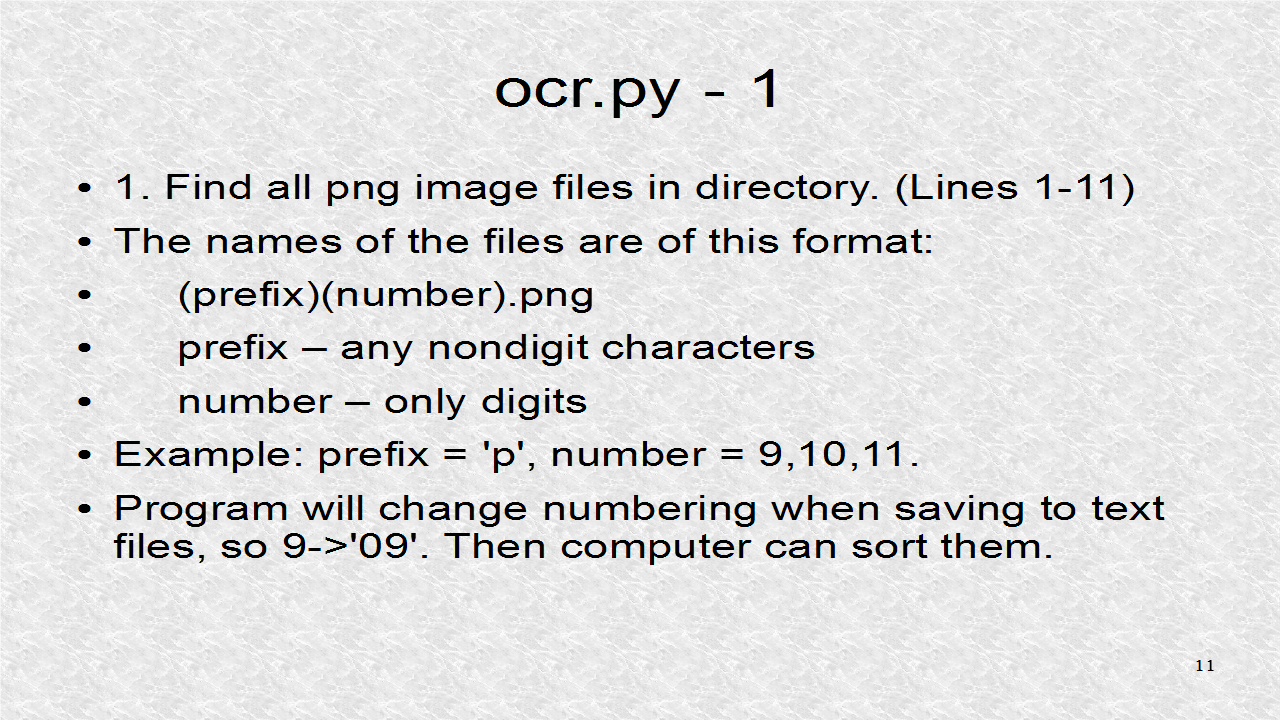
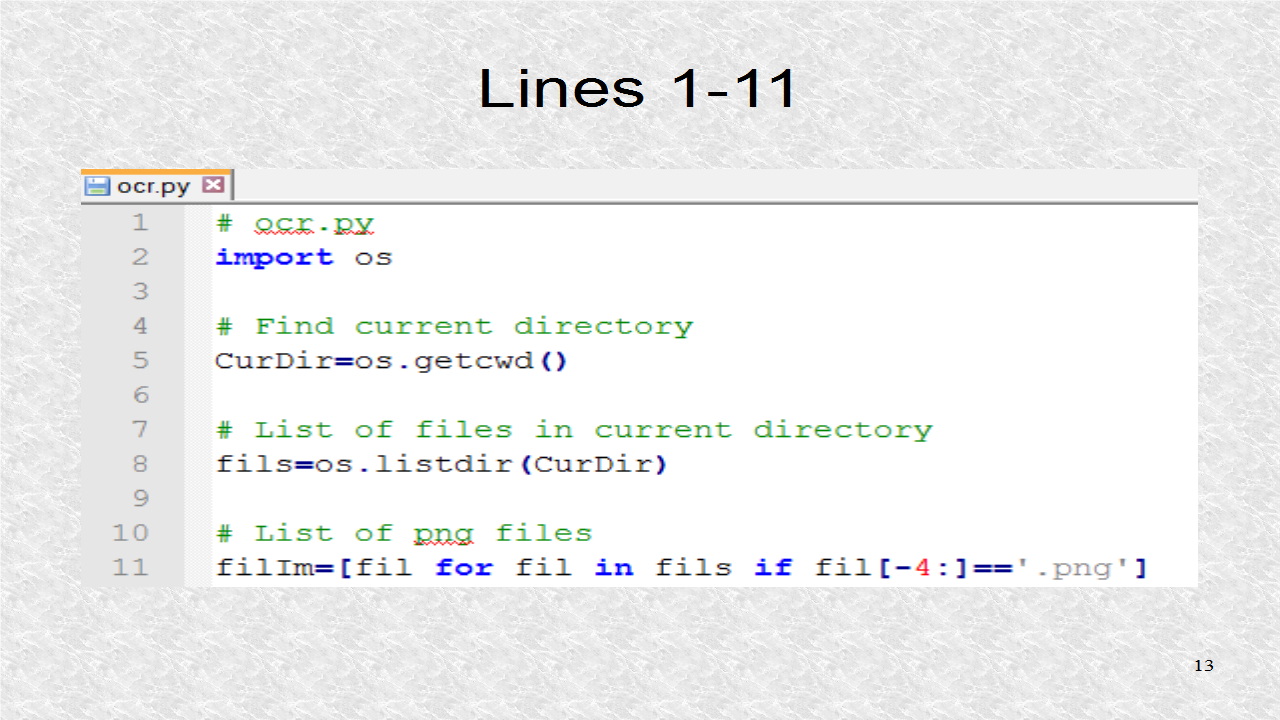
Now, the program ocr.py is described. It first reads the name of all image files, and puts them in a Python List. This is done in Lines 1 to 11. The format of the image filename will have some prefix, some number and finally the image extension, which is png, in our example.


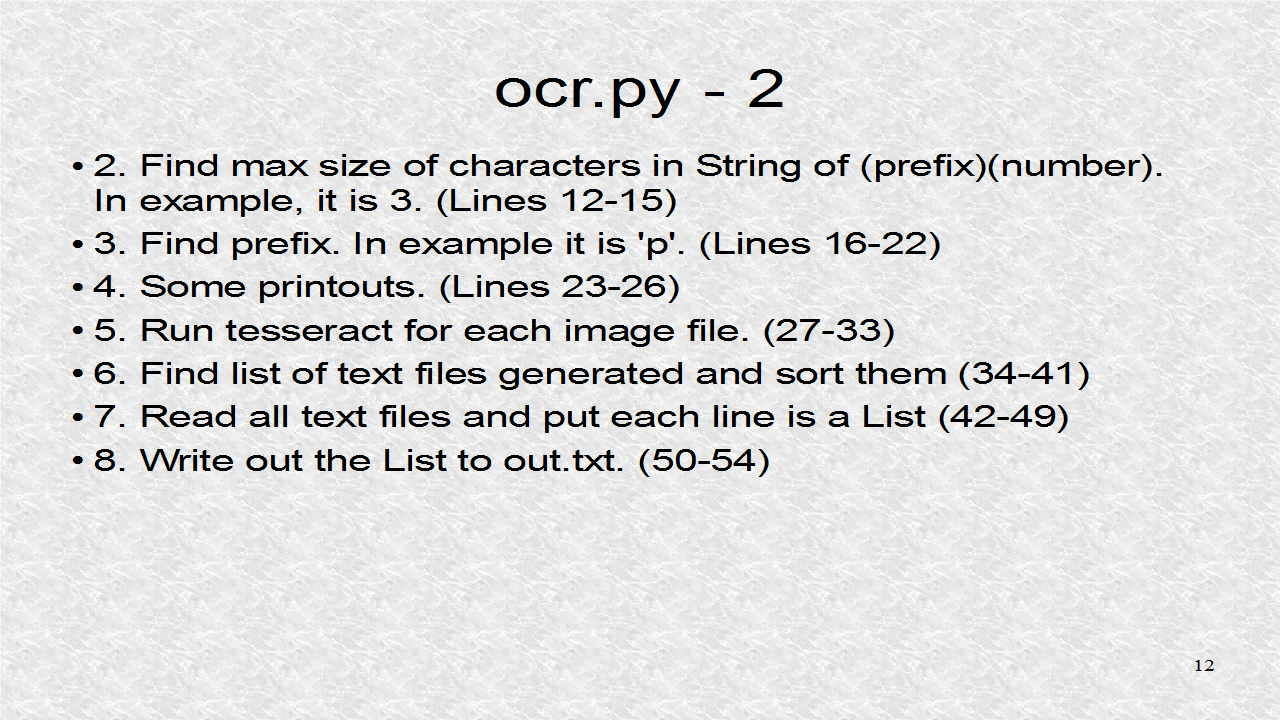
We have to find what is the maximum size in characters of the number field. Also we have to find the prefix. We generate some helpful printouts so we know everything is working ok. Then we have a loop to run for each image file. This step will generate as many text files as we have input image files. Next all text files are read into a List. Finally that List is saved to the file 'out.txt'.


After the module os is imported, the current directory is found, and then we find the List of files in the current directory, and assign it to the fils List. Then fils List is filtered so only those which have the correct extension, are in the filIm List.


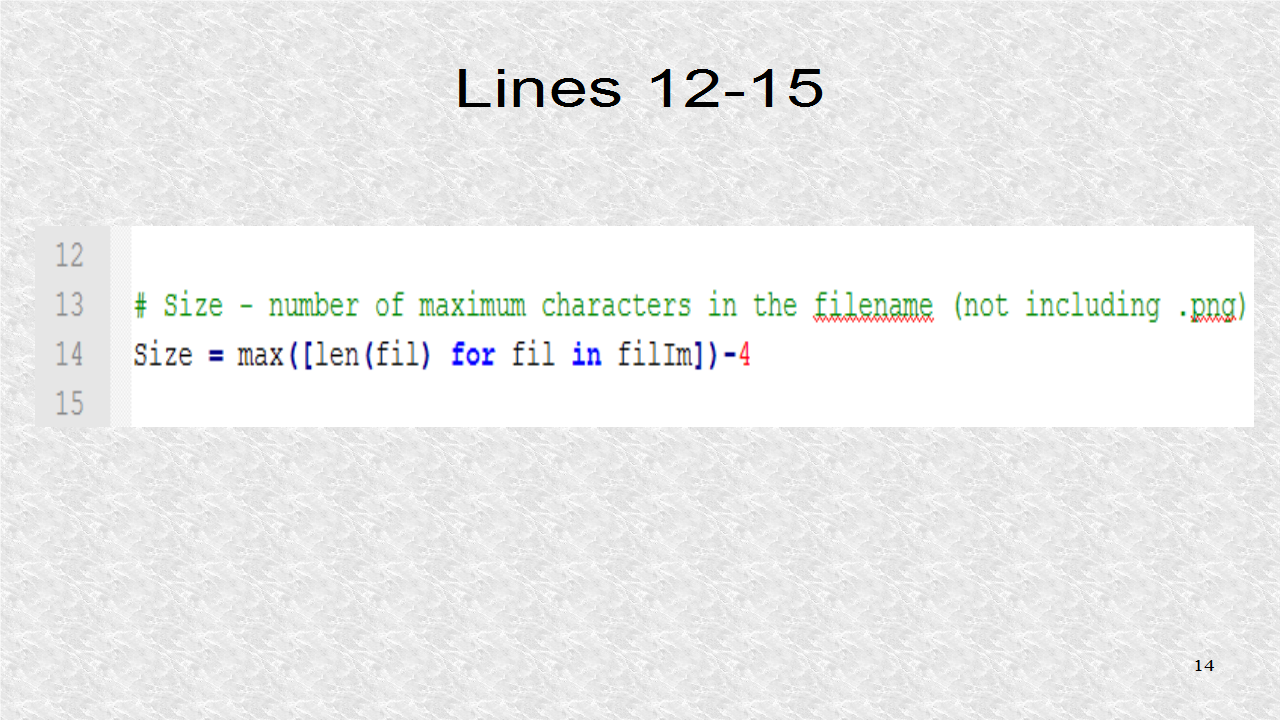
We find the length in characters of the maximum image file name. This is done so sorting functions can work, as we shall see later. A temporary List is created by a List Comprehension. This will have the list of string lengths of all the Image files. We find the maximum length and subtract 4 from it. The reason we subtract is because the String dot png takes 4 characters. This Size contains the prefix as well as number.


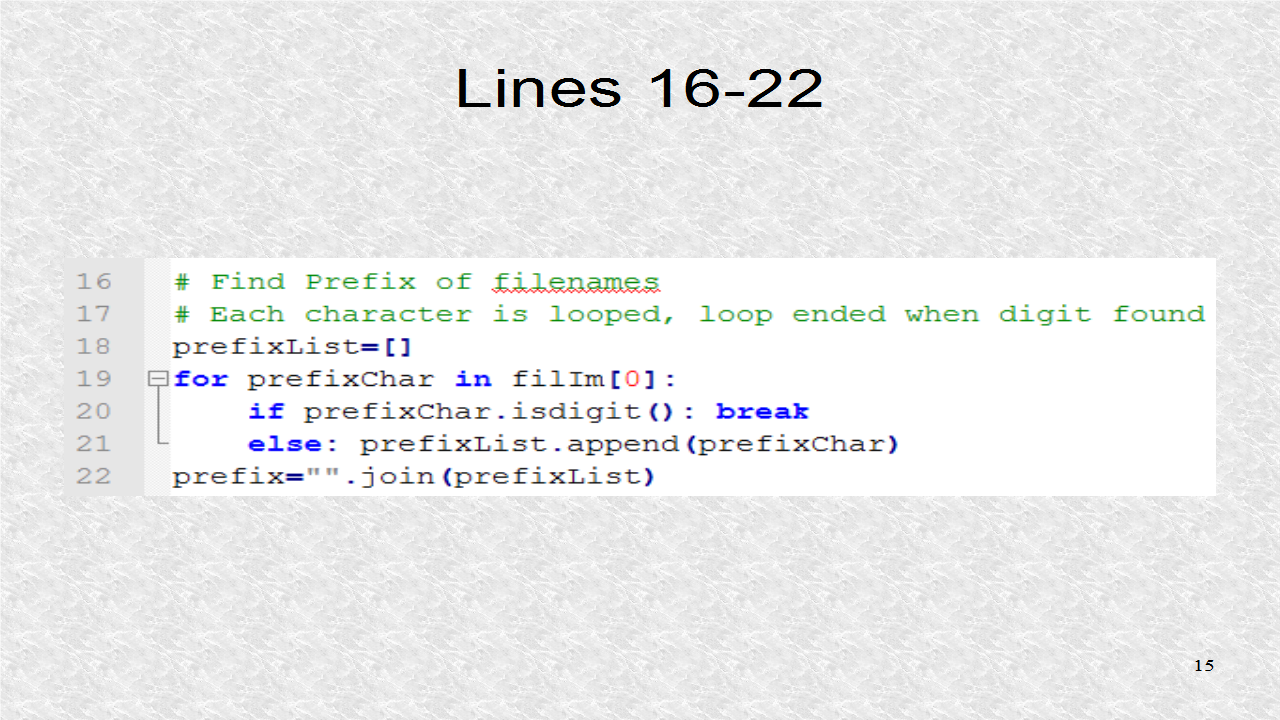
Now we find the prefix. An empty List is created and then we iterate over all characters in filename. We use the first Image file, filIm[0] since it always exists. We could always test for file existence which would be a better design. The empty list is appended by each character, that is not a digit. Once it is a digit, we break out of the for loop, and use the String function join, to join all the characters in the List.


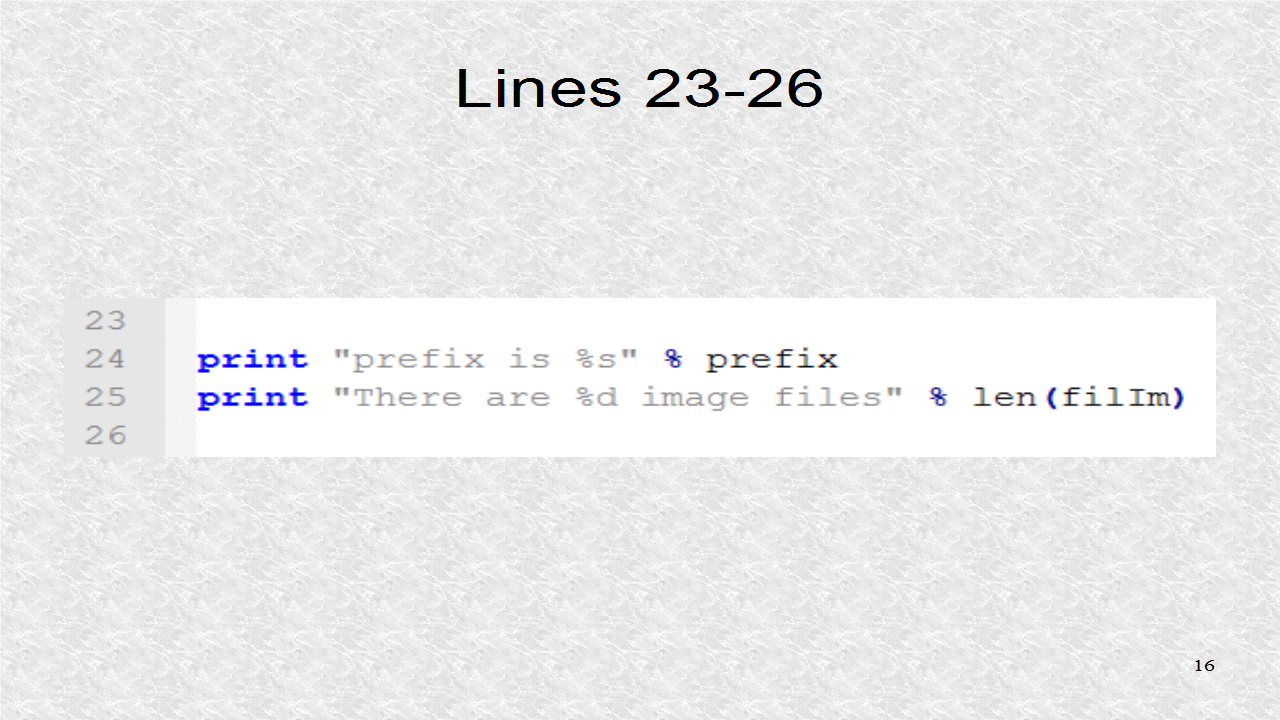
Now we have two print statements, which would serve as a check. We could immediately see if the program calculated the prefix correctly as well as found the correct number of Image files. You might want to print everything, such as the contents of the List filIm if you want.


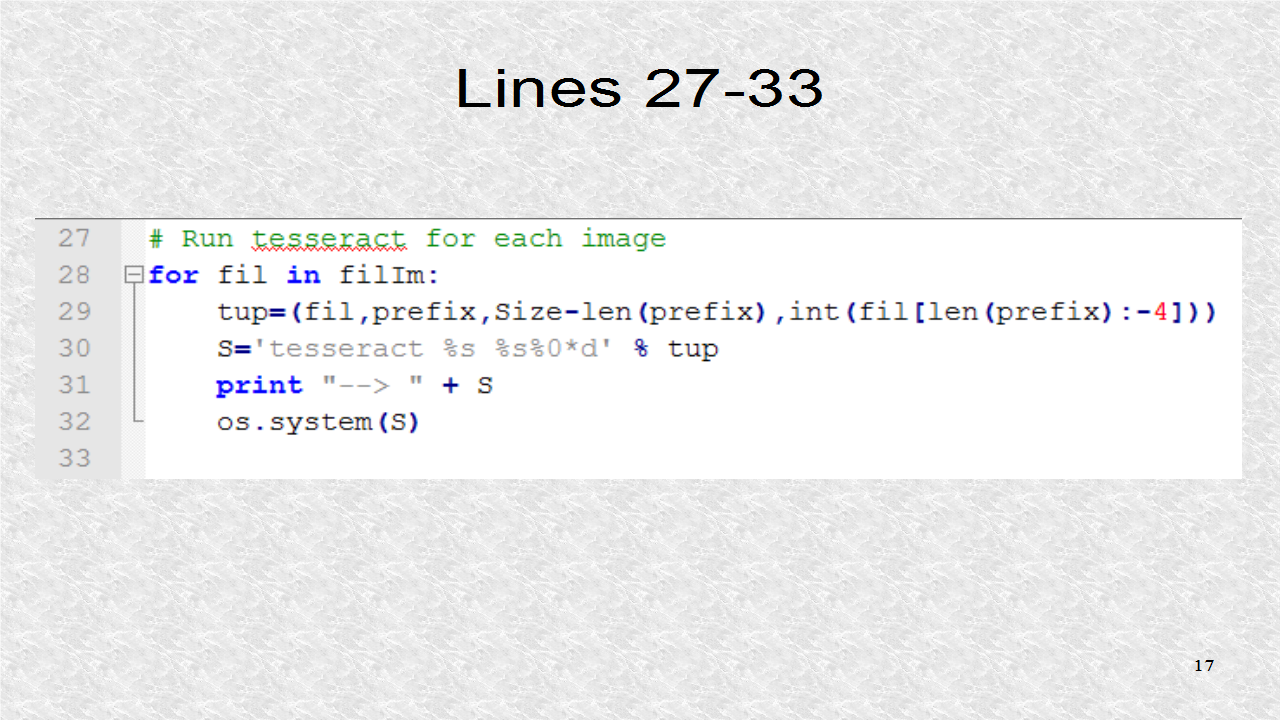
Now, for each Image File in the List filIm, the ocr is run. The Tuple which is called tup has four elements. The first is fil, the current looping variable and thus it is one of the Image files. The second is the prefix, such as 'p'. The third element is the size of the number field in characters. Finally the number is extracted from the filename. This Tuple will populate the four placeholders in the S String expression. The first %s is the first element, the filename. The second %s refers to the prefix. Then we write the number, which is 0-formatted. The symbol * indicates this size is calculated at runtime since it might be different depending on the filenames. The symbol * will get the maximum number-field length so it will write 9 as '09' in our example. The %d is the integer corresponding to the fourth element of the Tuple.


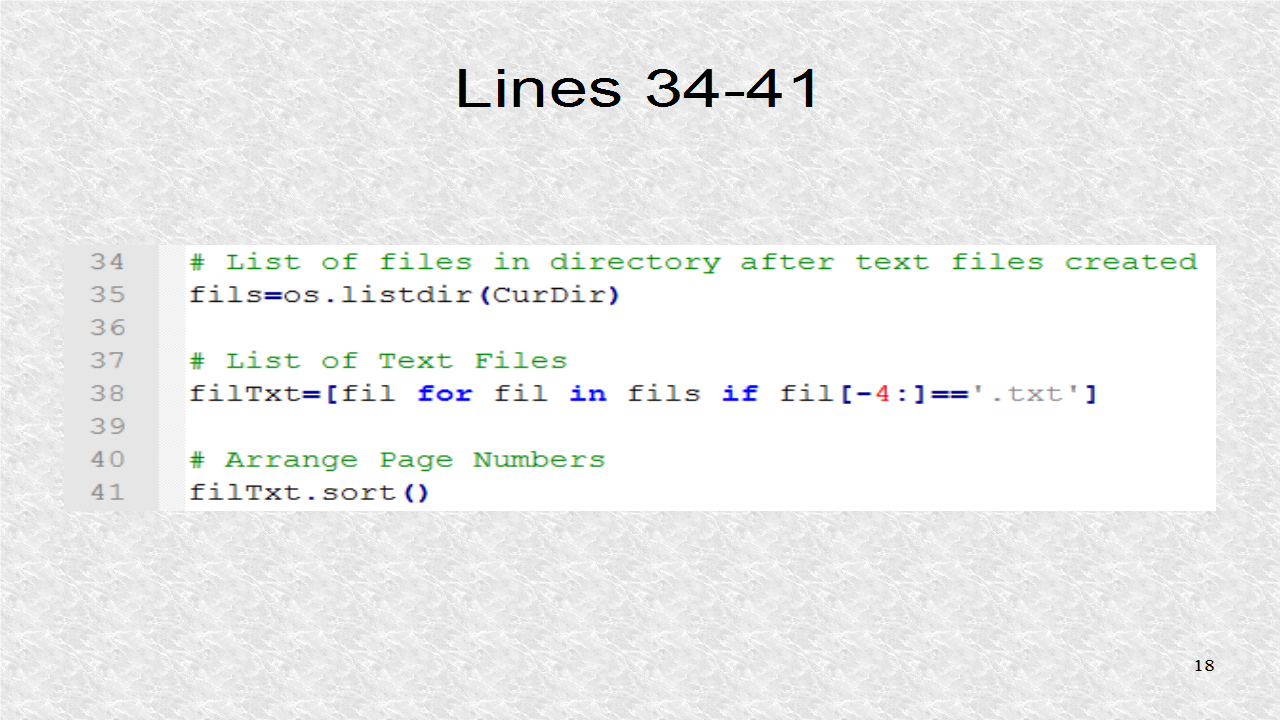
With the new files created, we again inquire about what files exist and then we keep only the text files in the List filTxt. Finally this List is sorted to be in the correct order, like '09', '10', '11'.


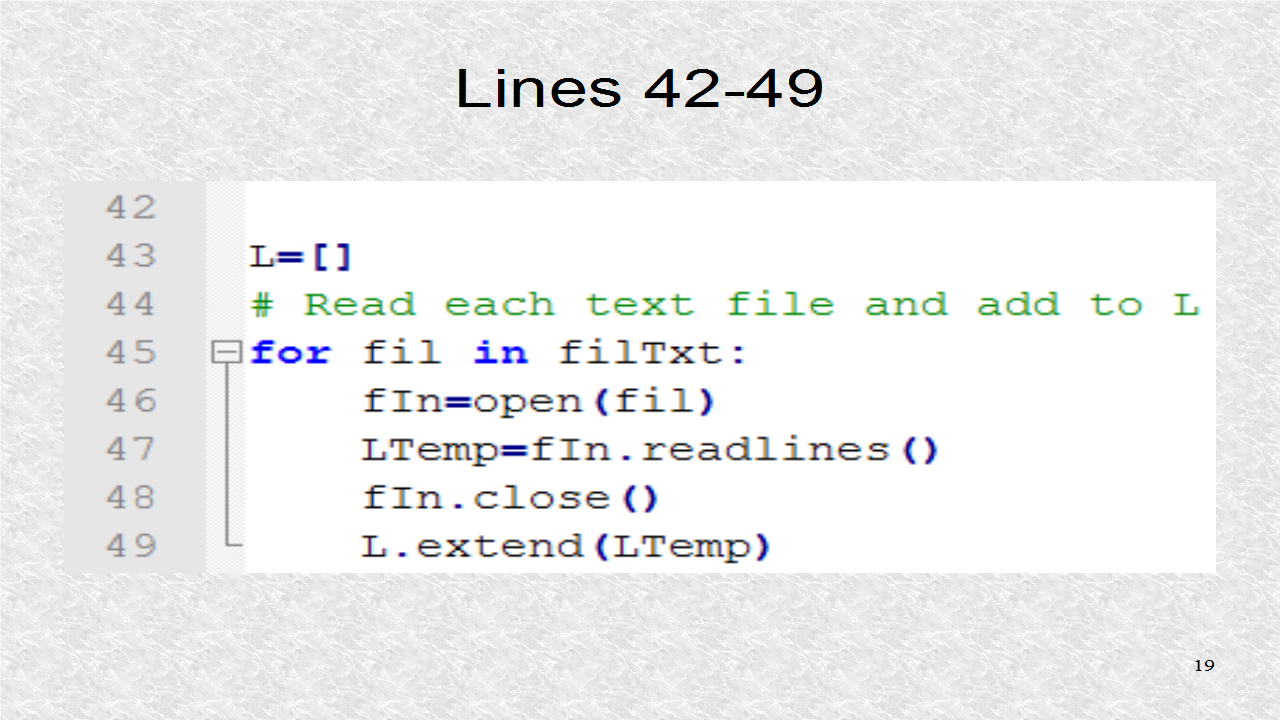
Next, all the text files are read, and then inserted into a List. The length of the List is not important. However, it is the number of lines in all text files.


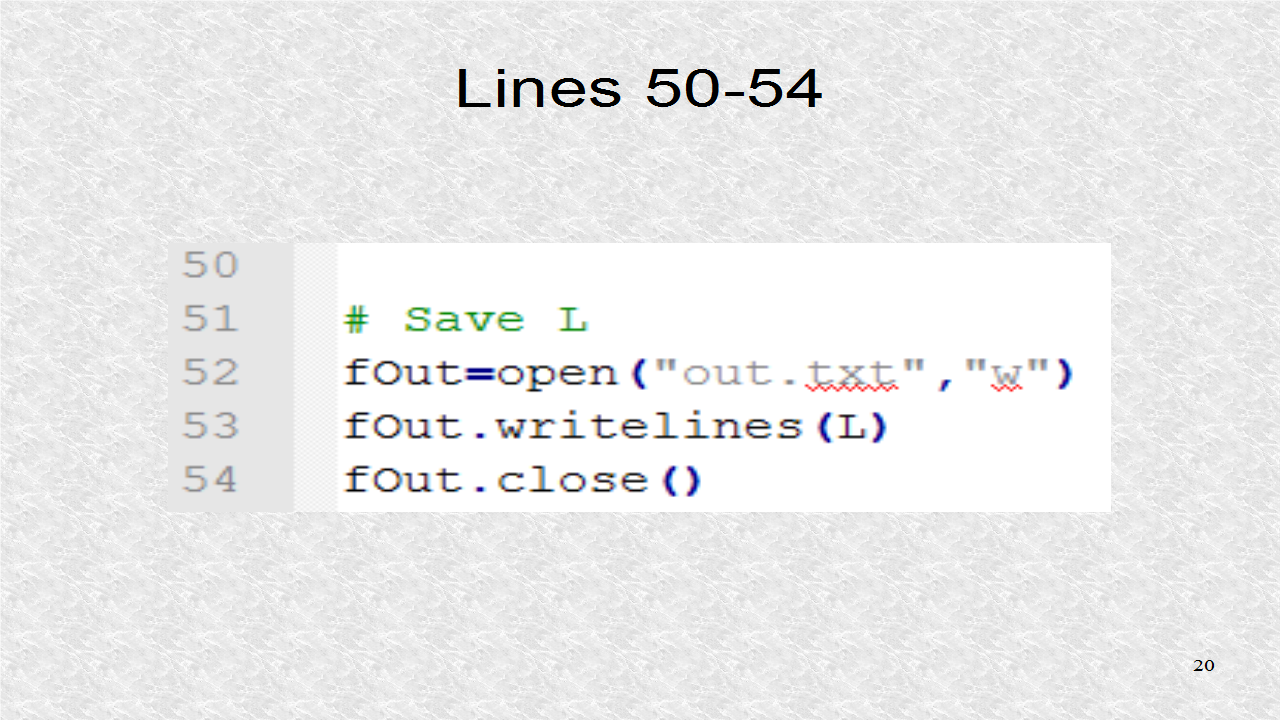
Finally, that List is written to a new file called 'out.txt'. The source code for ocr.py is at pythonaudio.blogspot.com.


# ocr.py
import os

# Find current directory
CurDir=os.getcwd()

# List of files in current directory
fils=os.listdir(CurDir)

# List of png files
filIm=[fil for fil in fils if fil[-4:]=='.png']

# Size - number of maximum characters in the filename (not including .png)
Size = max([len(fil) for fil in filIm])-4

# Find Prefix of filenames
# Each character is looped, loop ended when digit found
prefixList=[]
for prefixChar in filIm[0]:
    if prefixChar.isdigit(): break
    else: prefixList.append(prefixChar)
prefix="".join(prefixList)

print "prefix is %s" % prefix
print "There are %d image files" % len(filIm)

# Run tesseract for each image
for fil in filIm:
    tup=(fil,prefix,Size-len(prefix),int(fil[len(prefix):-4]))
    S='tesseract %s %s%0*d' % tup
    print "--> " + S
    os.system(S)

# List of files in directory after text files created
fils=os.listdir(CurDir)

# List of Text Files
filTxt=[fil for fil in fils if fil[-4:]=='.txt']

# Arrange Page Numbers
filTxt.sort() 

L=[]
# Read each text file and add to L
for fil in filTxt:
    fIn=open(fil)
    LTemp=fIn.readlines()
    fIn.close()
    L.extend(LTemp)

# Save L
fOut=open("out.txt","w")
fOut.writelines(L)
fOut.close()


You will find additional information, including a larger image of the slides and text of the audio, at pythonaudio.blogspot.com.


This is the video of Tutorial 12:


About Me

I have used Python for the last 10+ years. I have a PhD in Electrical Engineering. I have taught Assembly Language programming of Intel-compatible chips as well as PC hardware interfacing. In my research, I have used Python to automate my calculations in physics and chemistry. I also use C++ and Java, often with Python.